Phase 2 integration
Fatoora onboarding, cryptographic stamp, signed XML, UUID, invoice counter and hash chain.
- Clearance (B2B)
- Reporting (B2C)
- Credit & debit notes


ZATCA e-invoicing software
LUBA ERP connects your company to ZATCA’s Fatoora platform: device onboarding, signed XML, clearance of B2B invoices, reporting of B2C invoices, credit and debit notes, and bilingual invoices on your letterhead.
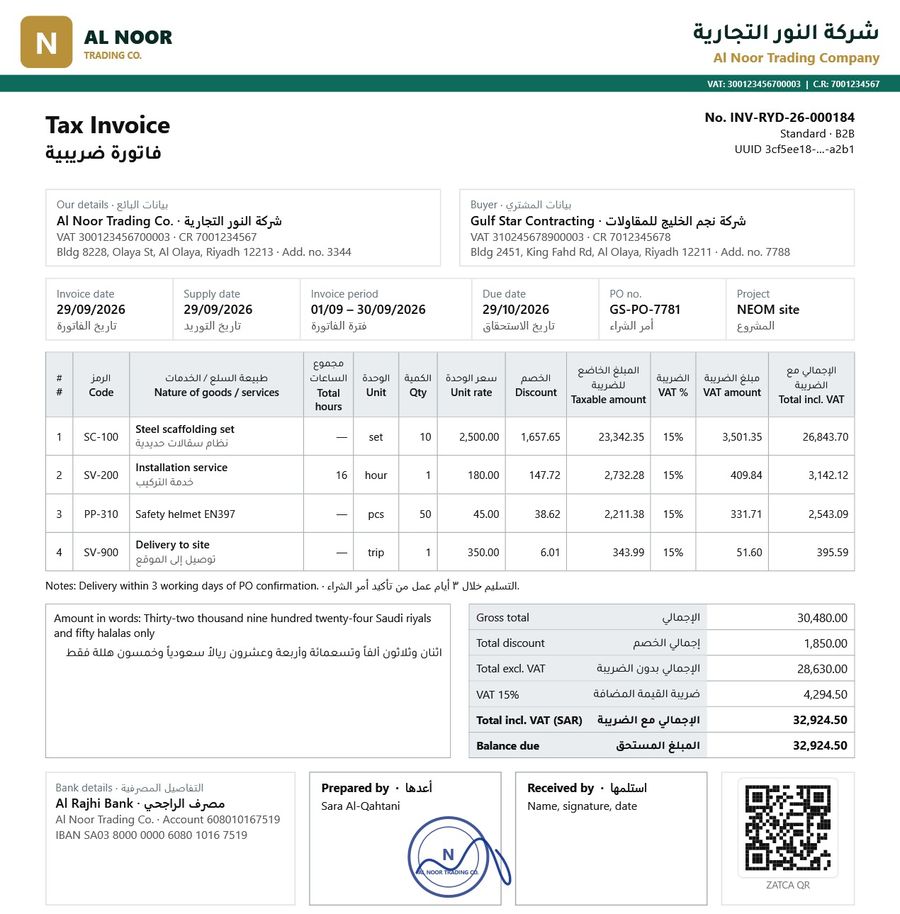
ZATCA e-invoicing
Saudi Arabia’s e-invoicing (Fatoora) rules have two phases. Phase 1 requires electronic invoices with a QR code. Phase 2, the integration phase, is rolled out in waves and requires your invoicing system to connect to ZATCA: standard B2B invoices are cleared before you share them, and simplified B2C invoices are reported within 24 hours.
LUBA ERP handles both. You can issue Phase 1 invoices today and switch to Phase 2 per invoice once your company is connected, without changing how your team works.
How it works
Generate the OTP in the Fatoora portal; LUBA ERP creates the CSR and receives your certificates.
Standard (B2B) and simplified (B2C) invoices, credit and debit notes, in UBL 2.1 XML.
B2B invoices cleared by ZATCA before sharing; B2C invoices reported within 24 hours.
ZATCA's messages shown on the invoice; pending documents retried automatically.
Features
Fatoora onboarding, cryptographic stamp, signed XML, UUID, invoice counter and hash chain.
Issue Phase 1 invoices with the QR code until your wave, then switch per invoice.
Six formats including full Arabic + English, on your letterhead with stamp and QR.
Output VAT from invoices and notes, input VAT from supplier bills, per period.
Issued Phase 2 invoices are never edited; corrections use credit and debit notes.
Arabic seller and buyer names in the XML, translated automatically and editable.
برنامج فوترة إلكترونية متوافق مع هيئة الزكاة والضريبة والجمارك – منصة فاتورة المرحلة الثانية: ربط الجهاز (CSID)، توقيع XML، اعتماد الفواتير الضريبية (B2B) والإبلاغ عن الفواتير المبسطة (B2C)، الإشعارات الدائنة والمدينة، رمز QR، وفواتير ثنائية اللغة على ورق شركتك.
اطلب عرضاً مجانياً: واتساب +966 54 961 1338
Frequently asked questions
Phase 2 (the integration phase) requires taxpayers in the announced waves to connect their invoicing system to ZATCA's Fatoora platform. Standard (B2B) invoices are cleared by ZATCA before being shared, and simplified (B2C) invoices are reported within 24 hours.
Yes. LUBA ERP has Phase 2 built in: onboarding of your e-invoicing unit with an OTP from the Fatoora portal, UBL 2.1 signed XML, cryptographic stamp, QR code, clearance and reporting, credit and debit notes and automatic retry.
Yes. In LUBA ERP each invoice can be issued as Phase 1 (QR code only) or Phase 2 (sent to ZATCA), so you can start before your wave and switch when you are connected.
LUBA ERP shows ZATCA's error and warning messages on the invoice, and you fix and issue it again. Issued Phase 2 invoices are never changed; corrections are made with credit or debit notes.
Yes. Six print formats, including a full Arabic + English layout, with your letterhead, stamp, QR code and the amount in words in both languages.
LUBA ERP calculates output VAT from your invoices and notes and input VAT from supplier bills for each period, ready for your VAT return, and exports the data for your accountant.

Free demo
Send us one of your invoices or timesheets. We show it in LUBA ERP, explain ZATCA Phase 2 for your company and give you a clear quote.